Version 9 of Bizer's Garmin/Winnipesaukee is now available for
use on Garmin devices.
Updated 23-Aug-2015
Bizer's ninth version of Garmin/Winnipesaukee can be pre-loaded onto
Garmin DataCards, SD cards and MicroSD cards
WARNING - 23-August-2015 - WARNING -
In June, 2015, Bizer started receiving emails that
Bizer's data was not working on certain newer Garmin devices.
Eventually, Bizer discovered that Garmin has started to block third-party
map from some of its GPS devices.
Bizer has contacted Garmin, but they are unconcerned about the fact that many
boaters want Bizer accuracy.
Garmin has convinced themselves that Garmin's LakeVu product is quite good
despite the fact that they show no rocks in Winnipesaukee.
So far, it appears that Garmin's blocking only applies to new models manufactured
in 2015.
Thanks to one Bizer customer who tested Bizer software at West Marine, it appears that
the following Garmins will not accept Bizer data:
- EchoMap models (model numbers usually end in "DV")
- GPSMAP 7000 series (e.g. model 7607)
This same customer determined that Bizer's map of Winnipesaukee did work
on the following models:
- 840xx models
- 1040xx models
- 741x models
It appears that any Garmin GPS that was manufactured prior to 2015 will accept Bizer's
data.
If you want to test Bizer data on a GPS at an electronics store,
and you have a bit of computer knowledge, you can try the following:
- Obtain a Micro_SD card with at least 1gb.
- Obtain an SD adaptor. Some Garmins accept a full-size SD card and some
Garmins accept a Micro_SD card.
- Place the Micro_SD card into the SD adaptor and place them both into
your computer. Let's assume that your computer assigns the SD/Micro_SD
card the letter "K:" drive. From this point on, substitute your
drive letter whenever you see "K:"
- Create a directory/folder named "\Garmin" on the K: drive. (DOS command
MD K:\Garmin)
- download from www.bizer.com\garmin\3islands.img
- Place the 3island.img file into the K:\Garmin folder
- Rename the 3islands.img fil to be gmapsupp.img
(as in Garmin MAP SUPPlemental)
- Remove the SD/Micro_SD card and try and insert it into a new Garmin GPS
- If the Garmins says something like, "The map format is not supported", then
Garmin is blocking Bizer's map from this device.
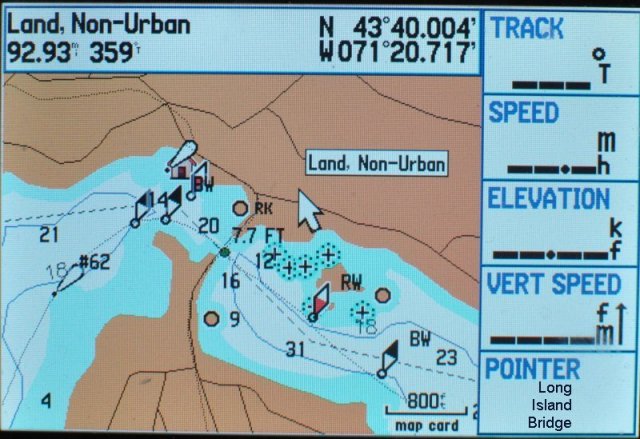
- Try to zoom in on Long Island, or Cow Island.
If you see those islands and the buoys around them, then the Garmin
GPS you are testing will accept Bizer's file.
Another option is that you could call Garmin Customer Support and see what models
do not their-party maps.
Another option is to email them at cartographymail@garmin.com and ask them
what Garmin's devices will accept Bizer software.
Bizer guarantees that Bizer's map will work in your Garmin device or we will
refund the money for the Bizer data.
As a secondary note, Bizer believes that Garmin copied Bizer's depth data from
a chart published about 11-13 years ago.
Their LakeVu product fails to show the seven rocks that Bizer (or Bizer
customers) have discovered since 2002.
Bizer finds it unbelievable that Bizer and Garmin just happen to overlook
the same seven rocks.
Also, LakeVu buoys contain several errors and are more than twelve years old.
Garmin fails to show that FL12 and FL59 moved in 2004 and 2005 respectively.
Nor does Garmin include the 8 buoys that were added between 2003 and 2012.
END OF 2015 WARNING ABOUT GARMIN GPS AND BIZER DATA
Bizer's Garmin data NOW works on the new
chartplotters that accept BlueChart maps.
This includes the 42x, 43x, 44x, 52x, 53x, and 54x series.
We have limited experience with BlueChart_G2 devices, but our product
is guaranteed to work on your device or your money will be refunded.
See the bottom of this page for samples of Bizer's map on Bizer's Garmin 276C.
Bizer's Garmin data will NOT work on
- old chartplotters
that accept micro-G charts (We believe Garmin stopped making these
devices in in 2002).
- Garmin NuVi models 1300 series and higher
Or any of the newer NuVis that have a lifetime-maps feature.
On these models, the shoals show up in the correct place;
However, some buoys do not show up;
boating routes are not visible.
See out new-Nuvi examples at
Nuvi2123.doc.
To the best of Bizer's knowledge, Bizer's data will work on all
Garmin GPS that are less than five years old,
(except NuVis 1390T/1450T and those with the lifetime-map feature).
We are now calling Bizer's 8th version of Garmin/Winnipesaukee,
D8 (downloadable), G8 (Garmin DataCards),
and S8 (on SD/MicroSD cards).
UPDATE March, 2014: Bizer announces the availability of the eighth version
of Winnipesaukee for Garmin.
This includes changes that were encountered during our annual survey of
Lake Winnipesaukee in September, 2013, as well
as changes announced by the Marine Patrol in January, 2014.
If you purchased a previous Bizer Garmin edition, you may
upgrade to Version four for $48.
Version 8 is available in three different formats (D8, G8, & S8).
-
It is available for download to your Garmin.
Version D8 is $110.
Your Garmin must have memory or a Garmin DataCard, an SD card, or
a MicroSD chip to receive the data.
Note: Use this for NuVis (other than 13xx/14xx).
-
If your Garmin uses a Garmin DataCard
and you do not have a blank DataCard,
we have version G8 pre-loaded onto
a Garmin DataCards for $144.
-
If your Garmin uses an SD cards or MicroSD card
and you do not have a blank SD/MicroSD card,
we have version S8 pre-loaded onto
a SD/MicroSD card with Version S8 for $119.
NOTE:If you have a Garmin NuVi that accepts SD cards,
see the special note for NvVi users below.
To purchase the download version, please download
winni-D8.doc
(for version D8).
Complete and mail the form.
In about 10 days you will receive winnigD8.zip via email.
To see if your Garmin is compatible, please download Bizer's test file,
3islands.zip, below.
Memory needed: Both versions require less than two
megabytes of storage.
The smallest Garmin DataCard (sixteen megabytes) should be adequate.
To purchase Winnipesaukee pre-loaded onto a Garmin SD/Micro_SD
card for use with BlueChart_G2 Garmin devices,
please download
winni-S8.doc.
Complete and mail the form.
In about 10 days you will receive your Garmin
SD/Micro_SD card in the mail.
(NB: Do not use this for NuVi. See Below.)
To purchase Winnipesaukee pre-loaded onto a Garmin
DataCard, or pre-loaded onto a SD/MicroSD card please download
winni-S8.doc
(for version S8).
Complete and mail the form.
In about 10 days you will receive your Garmin
DataCard in the mail.
(NB: Do not use this for NuVi.)
So far, Garmin users have been able to successfully download or load 3islands.zip into
all Garmin GPS less than five years old.
Special notes for NuVi users.
Although NuVis are primarily an automobile navigation aid,
Bizer has been able to load its data onto its own NuVi.
Users have reported success on many different NuVis.
However, on two models, 1390T and 1450T, users have reported problems.
While the shoals are visible on these models, the boating routes are not
visible and some of the buoys are not shown.
Prior to purchasing version D8 for your NuVi, Bizer suggests
- You read our NuVi documentation on loading a NuVi at
garmnuvi.doc.
- You download and install Bizer's test file at
3islands.zip.
Latest changes to this web page:
- 15-FEB-07 - Many (but not all) buoys in the vicinity of Long/Bear/Cow Islands have been added
to 3islands.zip. Click on the link to download the new
3islands.zip
to your own Garmin GPS.
- 21-Jun-07 - Check the Garmin website for firmware updates.
Bizer received the following from a customer:
"Everyone should always make sure their Garmin firmware is updated.
When I first loaded the maps, the buoy colors were off.
The blacks were black, but the reds were dark blue.
So it was very difficult to differentiate.
I spent a half hour digging through menu settings,
and finally tried a firmware update which fixed it.
(I found references to 'buoy color' in several Garmin firmware
release notes... so it sounds like they had a general problem.)"
- 20-Aug-07 - Some high-end Garmins (e.g. 378, 496) show the
base map rather than the Bizer map.
On these devices, there is a map selection page
in which the base map can be temporarily deactivated.
See the user's manual for your particular Garmin.
- 01-MAR-08 (list updated) -
So far, Bizer's file has worked on every Garmin manufactured since 2002.
Users have reported success on the following Garmin GPS units:
60C, 60 CSx, 76S,
76CS, 76CSx, 78sc, 168, 172, 172C, 176, 176C, 178C,
276C, 296, 376C, 378, 421, 440, 441, 478, 492,
496, 498, 500 series, 640, 720,
Street Pilot (C330, C340, C530, C550, & 660),
Etrex Legend,
iQue 3600,
NuVi (200W, 250W, 260W, 265W, 350, 500, & 750)
Quest,
Street Pilot, V,
Zumo 500.
- 24-MAR-08 - A NuVi user reported that Bizer's buoys are not colored.
In looking at a NuVi product review,
"NuVi is designed expressly for automobile use ...",
so this may be a limitation.
NuVi loads differently than most Garmin devices.
If you have a NuVi or StreetPilot,
please read garmnuvi.doc.
- 10-MAR-10 Price reductions for Garmin Data Cards and BlueChart SD cards.
- 03-MAR-14 Version 8 reflects buoy eliminations in 2014.
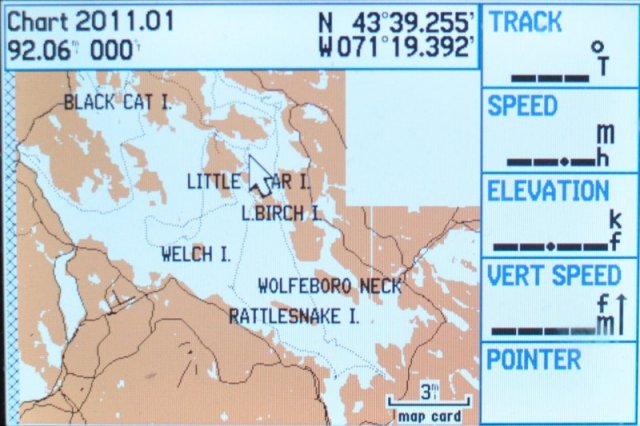
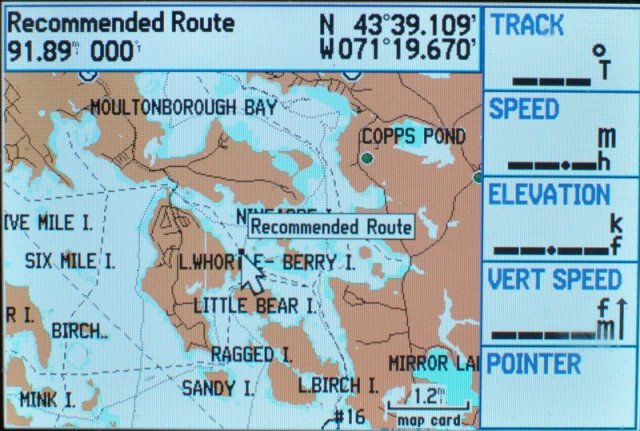
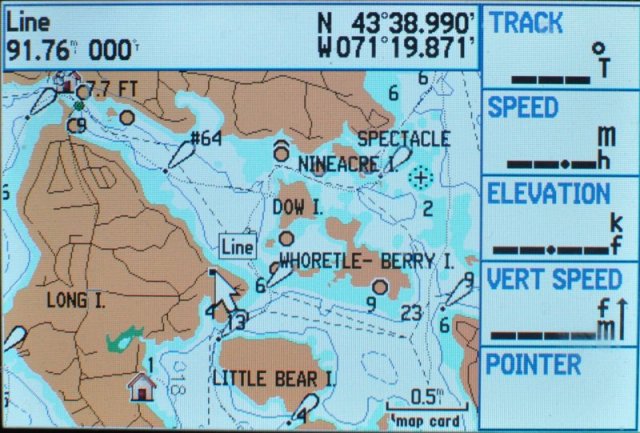
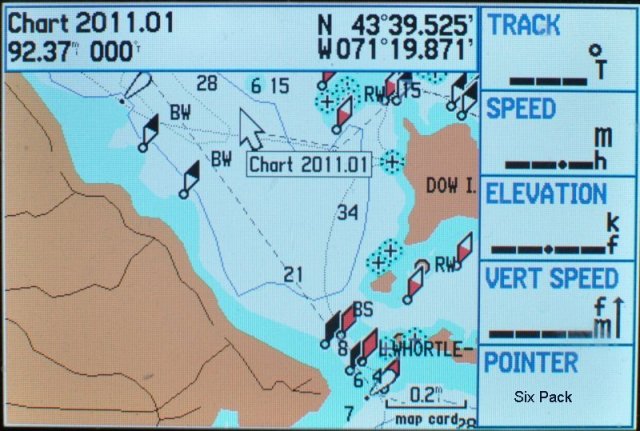
Images taken from Bizer's Garmin 276C